
Notification Banners
Use a notification banner to communicate an urgent message or important call to action.
Options
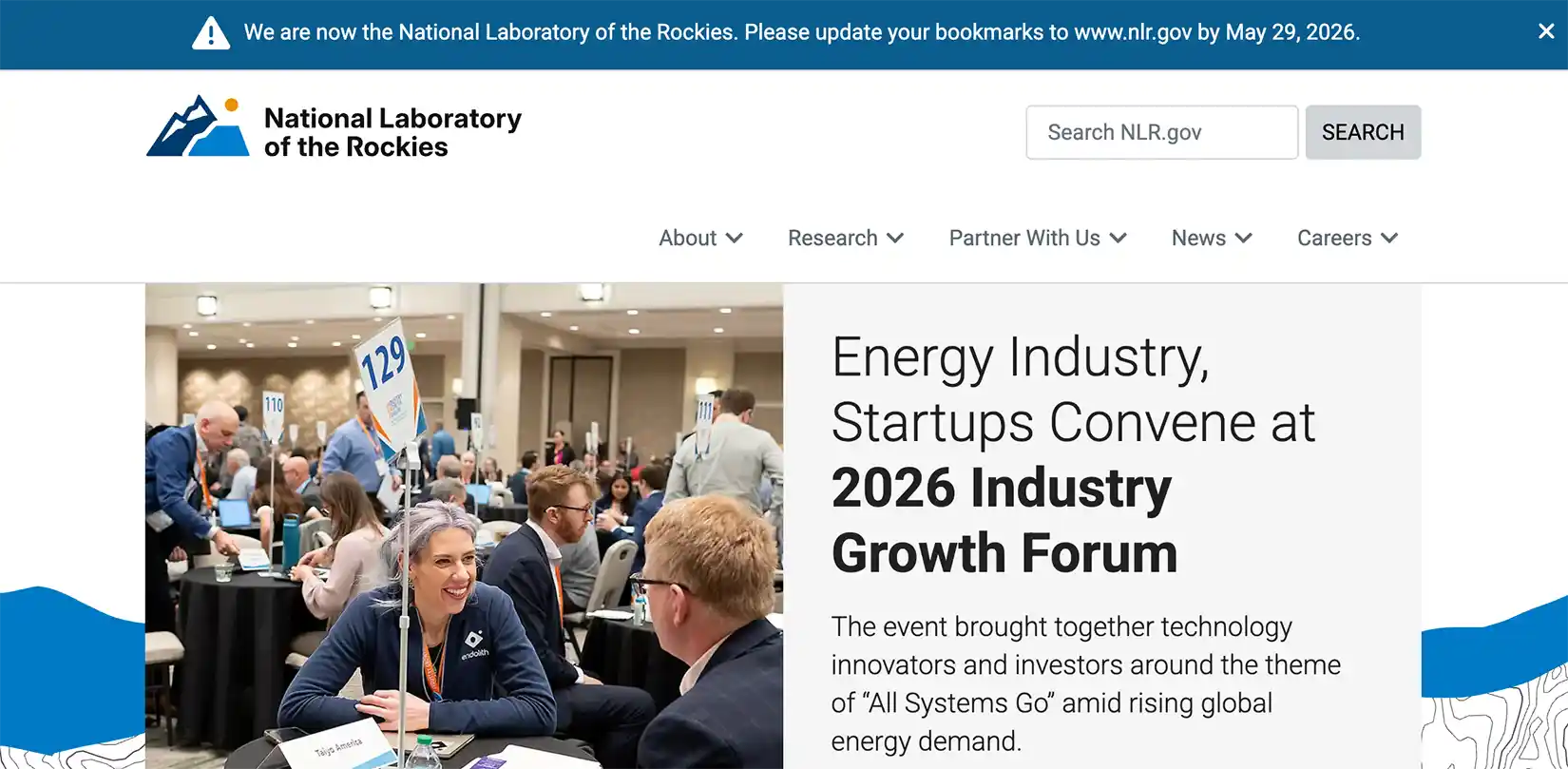
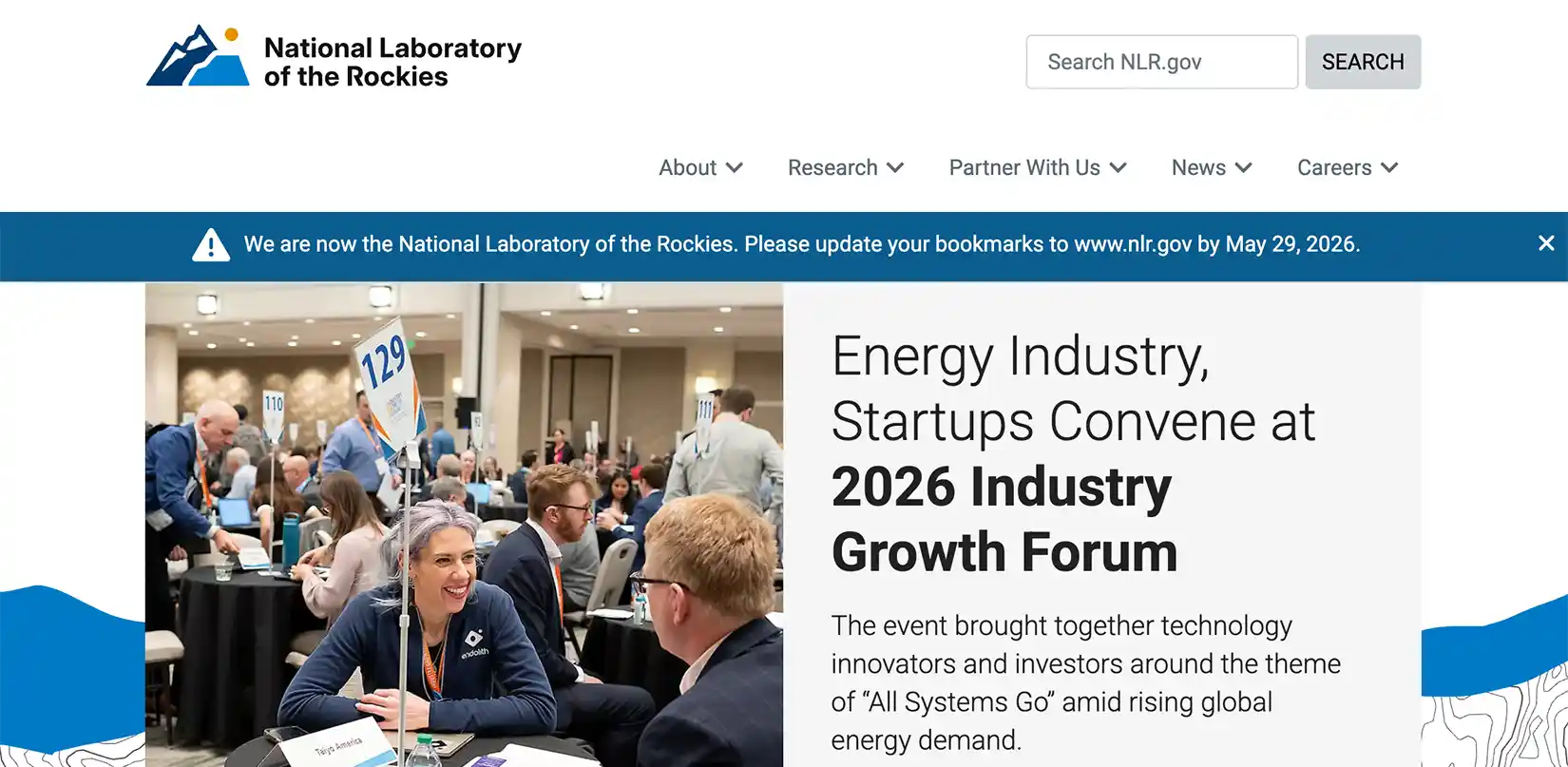
The design offers two color options and two placement options.
Color
Use the yellow banner to communicate urgent, high-priority messages that require immediate attention.
Use the blue banner to share informational messages that are not time-sensitive or urgent but still important.
Placement
Place a notification banner at the top of the page (higher priority) or under the horizontal navigation (lower priority).
Additional Information
Usage
Use a notification banner only on the NLR.gov homepage or sitewide at the top of the page. Banners are not used on individual pages or subsites.
Keep message to 90 characters and a single row of text.
Use Font Awesome for icons.
Share
Last Updated Nov. 17, 2026